

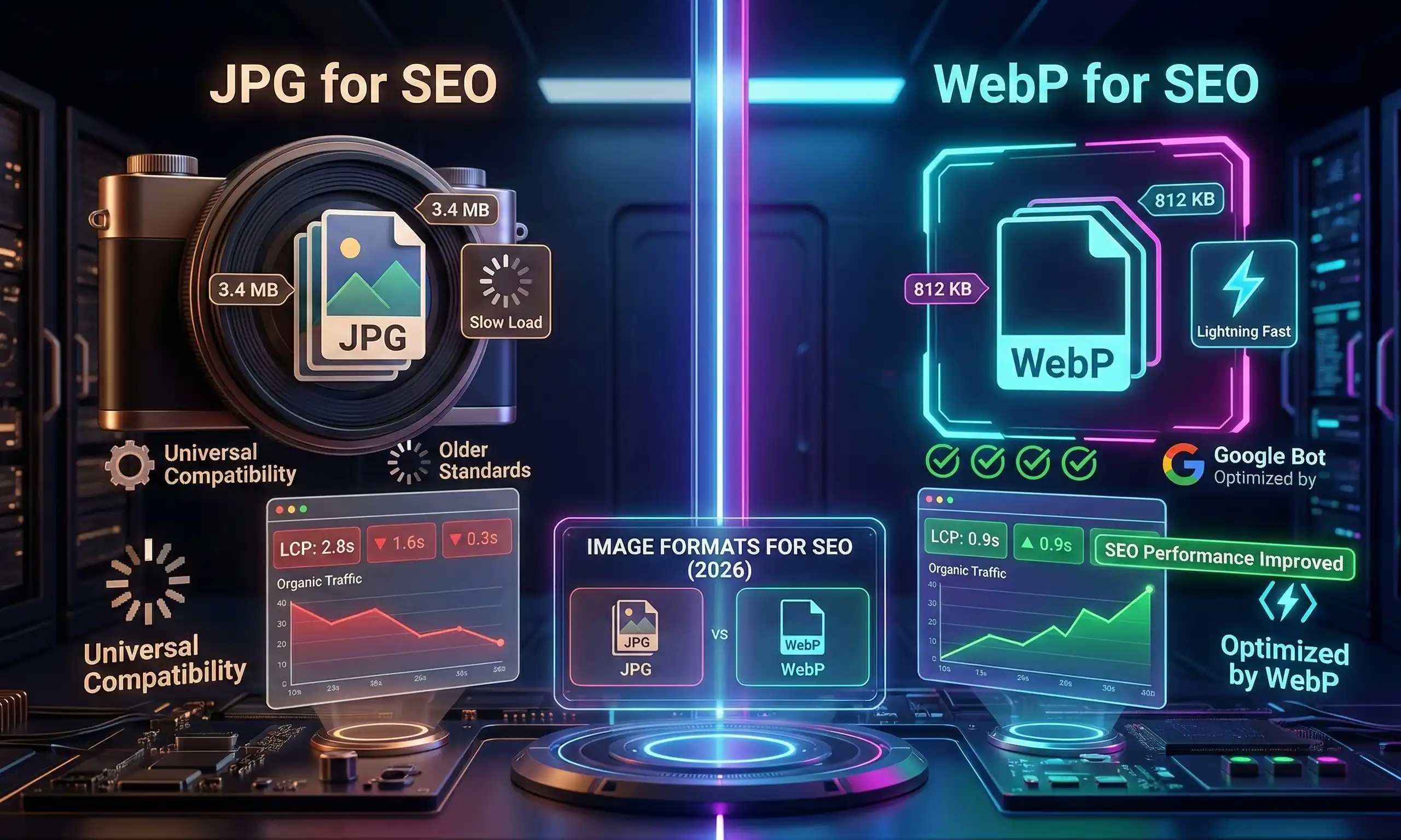
If you've ever uploaded an image to your website and watched your page speed score tank, you already know that image formats matter — a lot. In 2026, the debate between WebP and JPG is no longer just a developer conversation. It directly affects your Google rankings, Core Web Vitals scores, and how fast your pages load for real users.
In this guide, we'll break down exactly how WebP and JPG differ, which one Google prefers, and how you can use free image tools to optimize your images without any technical expertise.
What Is JPG (JPEG)?
JPG — short for Joint Photographic Experts Group — has been the dominant image format on the web since the mid-1990s. It uses lossy compression, which means it discards some image data to reduce file size. The result is a smaller file that still looks good to the human eye, especially for photographs.
- Universally supported across all browsers, devices, and platforms
- Best suited for photographs and complex images with gradients
- Does not support transparency (no alpha channel)
- Mature ecosystem — every tool, CMS, and platform handles JPG natively
What Is WebP?
WebP is a modern image format developed by Google and released in 2010. It was specifically designed to replace JPG, PNG, and GIF by offering superior compression while maintaining visual quality. WebP supports both lossy and lossless compression, transparency, and animation.
- 25–35% smaller file sizes than JPG at equivalent visual quality
- Supports transparency (alpha channel), unlike JPG
- Supports animation, unlike JPG or PNG
- 97%+ global browser support as of 2026
WebP vs JPG: Head-to-Head Comparison
| Feature | JPG | WebP |
|---|---|---|
| Compression efficiency | Moderate | 25–35% better |
| Transparency | ❌ No | ✅ Yes |
| Animation | ❌ No | ✅ Yes |
| Browser support (2026) | Universal | 97%+ coverage |
| Lossless mode | ❌ No | ✅ Yes |
| Best for | Legacy / email | Web, SEO |
Which Format Is Better for SEO in 2026?
WebP wins for SEO — but here's the full picture.
1. Google Loves Smaller Files
Google's Core Web Vitals — specifically Largest Contentful Paint (LCP) — are heavily influenced by image load speed. Since WebP files are 25–35% smaller, switching meaningfully improves your LCP score, a direct ranking factor.
2. PageSpeed Insights Recommends WebP
Run any site through Google's PageSpeed Insights and you'll see: "Serve images in next-gen formats." That next-gen format is WebP.
3. When JPG Still Makes Sense
Email clients, legacy CMS plugins, and print workflows still rely on JPG. When images leave your website, JPG remains the safer choice.
The AVIF Wildcard: Should You Care in 2026?
AVIF offers 30–50% smaller files than JPG but encoding is slower and tool support is still catching up. For most websites in 2026, WebP is the practical sweet spot.
How to Convert JPG to WebP for Free
You don't need Photoshop or a developer. Use AI Tech Tactics' free Image Tools — everything runs in your browser, no uploads to external servers, no account required.
- Convert — Upload your JPG and export as WebP instantly
- Compress — Strip unnecessary data without quality loss
- Resize — Serve the exact pixel dimensions your layout needs
Image SEO Beyond Format
Alt Text
Google can't see images. Descriptive, keyword-relevant alt text tells search engines what each image is about and improves accessibility.
File Names
IMG_4821.jpg tells Google nothing.
free-webp-image-converter-tool.webp is immediately meaningful.
Lazy Loading
Add loading="lazy" to your <img> tags. Images load only
when entering the viewport, dramatically improving initial page load time.
Compression
Even after converting to WebP, compression matters. Use our free Image Compressor to find the ideal quality/size balance.
Real-World Impact: The Math on Switching
| Scenario | Total Payload |
|---|---|
| 5 × JPG @ 250 KB avg | 1,250 KB |
| 5 × WebP (30% reduction) | 875 KB |
| 5 × WebP + compressed | ~600 KB |
| 5 × WebP + compressed + resized | ~380 KB |
Full optimization can cut image payload by over 70% — faster loads, lower bounce rates, better rankings.
Quick Decision Framework
Use WebP when: uploading to your website, needing transparency, targeting modern browsers, prioritizing SEO and page speed.
Use JPG when: sending via email, using platforms without WebP support, working in print or legacy workflows.
Frequently Asked Questions
Does Google index WebP images?
Yes. Google fully indexes WebP and treats it the same as JPG or PNG for image search. Format doesn't affect indexability — alt text, file name, and context do.
Will WebP break my website?
In 2026, no. 97%+ of browsers support WebP. For edge cases, use the HTML
<picture> element for a JPG fallback.
Can I convert WebP back to JPG?
Yes, at any time using the free Image Converter at AI Tech Tactics.
How much does image format affect rankings?
Format affects page speed → Core Web Vitals → rankings. Image optimization is one of the highest-ROI technical SEO improvements most sites can make.
⚡ Try Our Free Tools
Convert your JPG images to WebP in seconds — free, private, no signup needed.